
IT support.
One green button.
ITSupportPanel brings support tickets, useful apps and MaxIT updates together. Find the green ‘IT’ button on your desktop or in the task tray near your clock.
How to log a ticket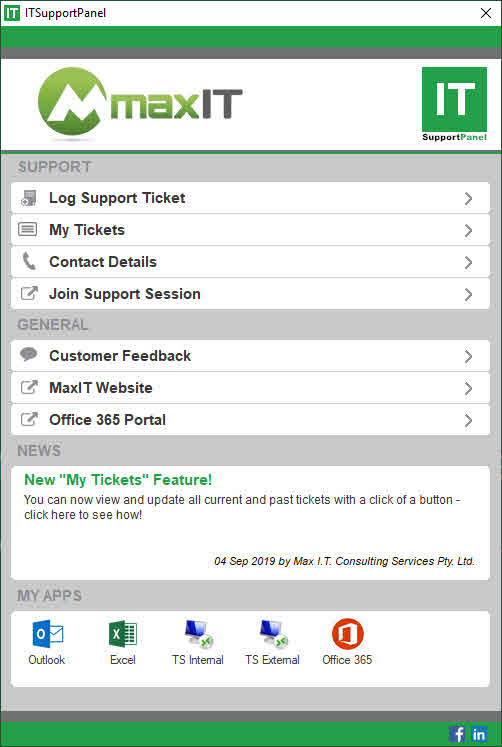
Everything you need,
in one place.
A faster start
Ticket submissions include device diagnostics, helping our team investigate with less back-and-forth.
An easier way to ask
Use the panel for non-urgent issues instead of waiting on the phone or sending an email.
Your tickets, at a glance
Open “My Tickets” to view status and correspondence, add an update or close a ticket.
Apps and news
Launch your organisation’s apps and see the latest information from MaxIT.
How to log a ticket.
- Find the green IT button on your desktop or beside the clock.
- Double-click the IT button to open ITSupportPanel.
- Choose “Log Ticket”.
- Complete the form with details of your issue.
- Submit using the orange “Log Ticket” button.
Need urgent help?
Call our service team for urgent issues. For non-urgent requests, use ITSupportPanel.